Get the BK Promoters app
Android only; there is no iPhone version. It's a direct download from us, not the Play Store, so Android will ask you once to allow installs from your browser.
⬇ Download BK Promoters 10.84Early build 10.144 (52 MB) — optional. Newer than 10.84; installs over it and keeps your account and job. Download 10.144. Your phone won't ask you to update to it; it becomes the standard version at the next release.
The file is BKPromoters-10.84.apk — a new version is always a new file name.
Watch how it works (4 minutes)
Install, account, the job board, driving the route, placing a sign, the bonus, the chat, and getting paid — as of app 9.66.
What it looks like
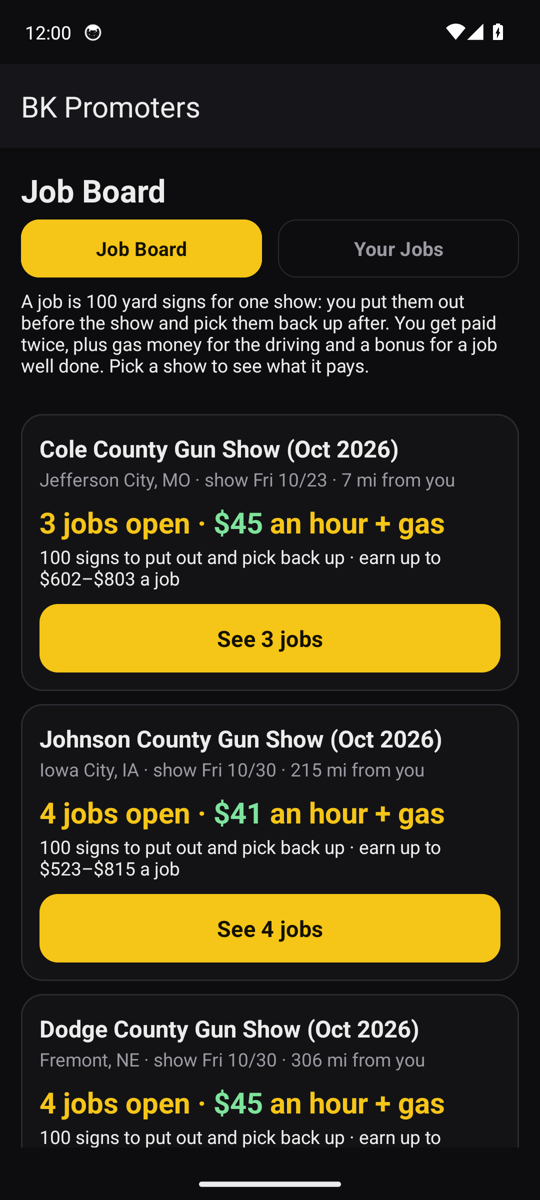
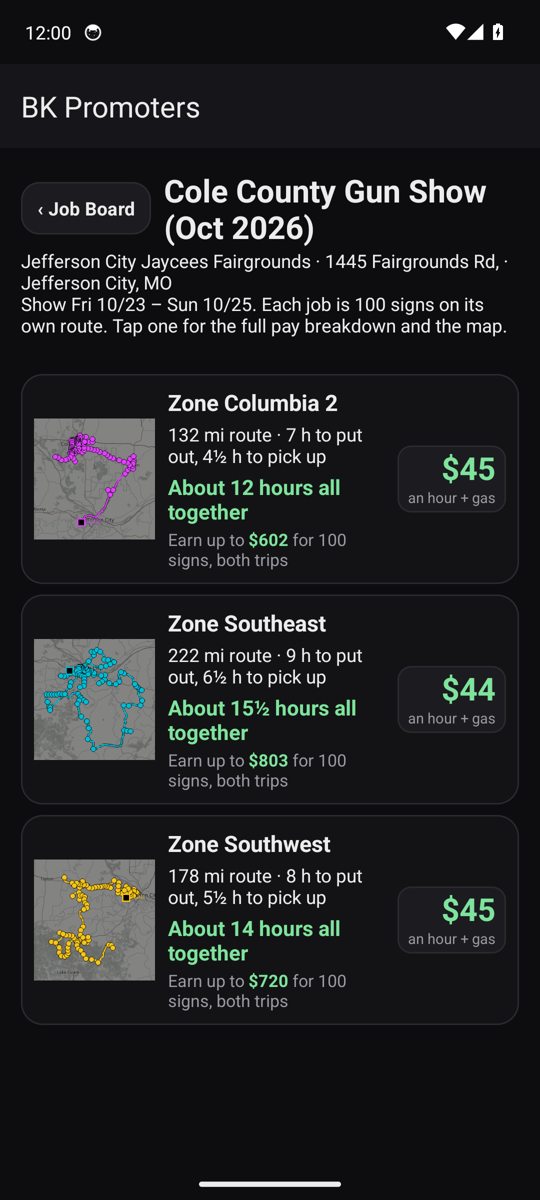
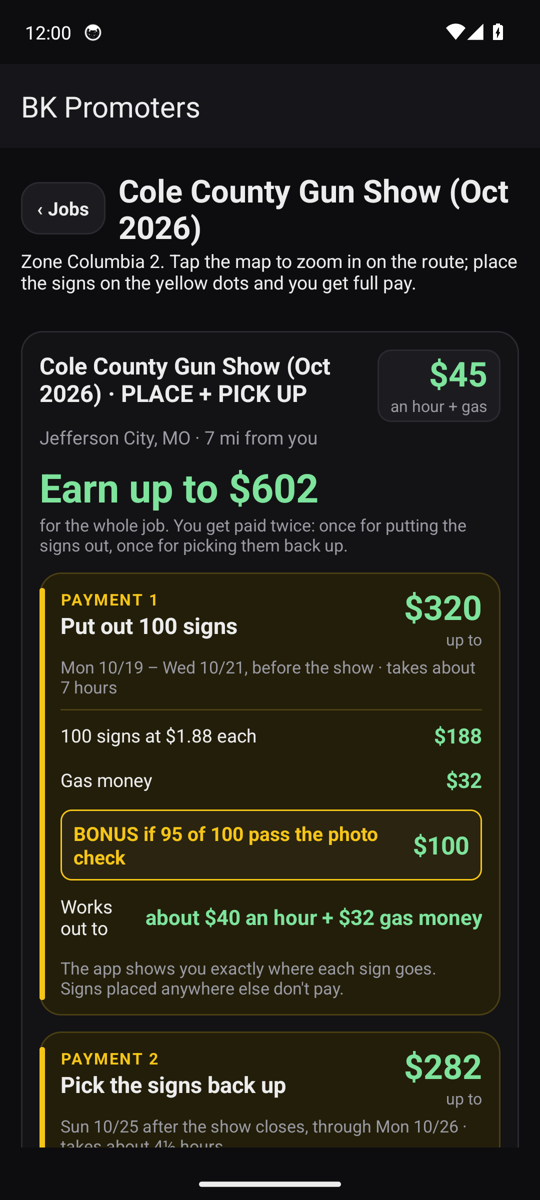
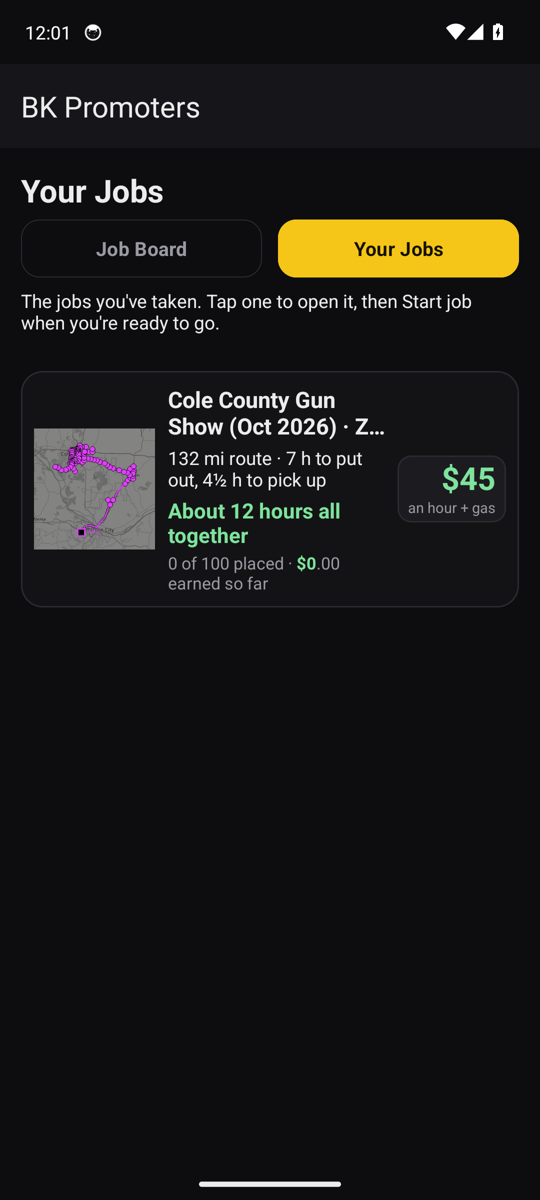
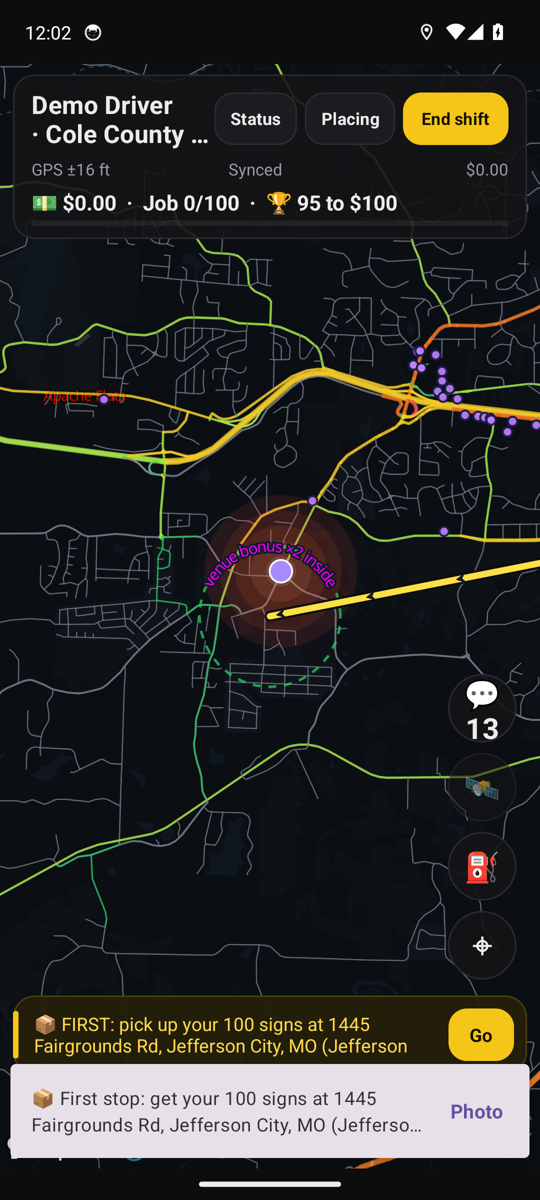
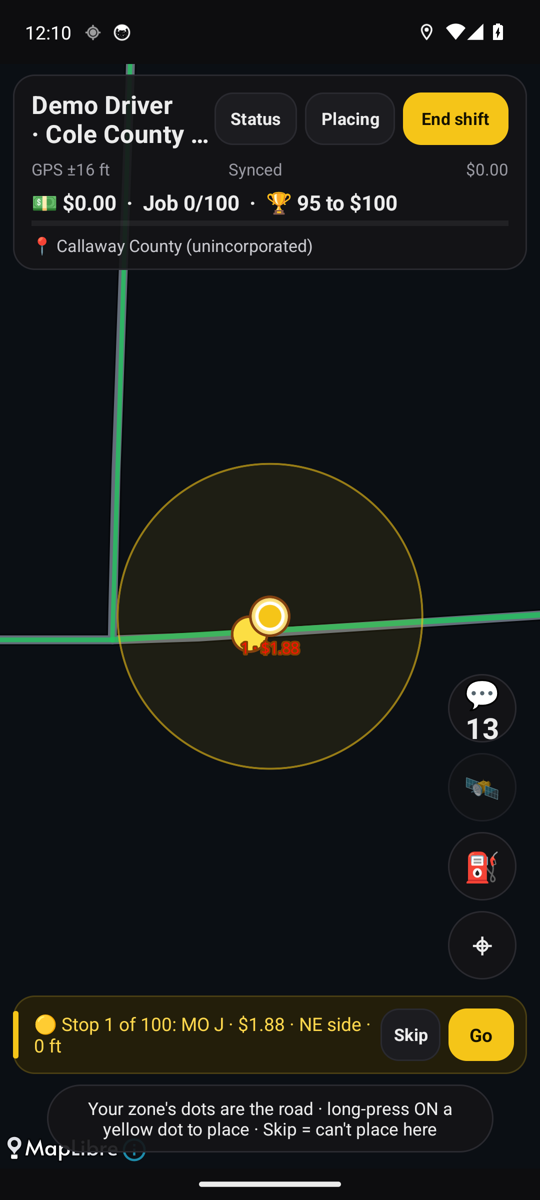
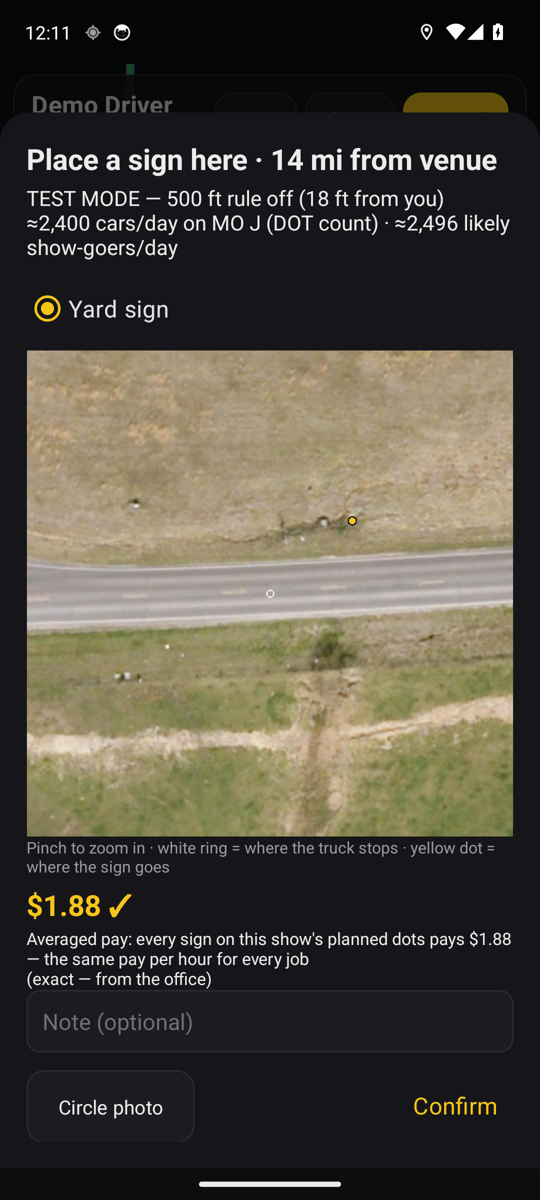
Install it
- Tap the download button above. Chrome may say "This type of file can harm your device" — tap Download anyway. That warning appears for every app that isn't from the Play Store.
- Open the downloaded file from the notification or your Downloads folder.
- If Android says the install is blocked, tap Settings, switch on Allow from this source for your browser, go back, and tap Install.
- Open BK Promoters, choose This is my own phone, and tap Create an account.
Make your account
- Your name, your mobile number, a password, and your home ZIP code (so the board shows jobs near you).
- Read and tick the Independent Contractor Agreement. If someone sent you, type their referral code.
- We text you a 6-digit code. Type it in.
- Take a photo of the front and back of your driver's license. Only the office sees it; it's required before your first job.
- The office approves new accounts, usually the same day. You'll see the job board as soon as that's done.
Updating from an older version? Just install over it. Your account and any job you're on stay put.
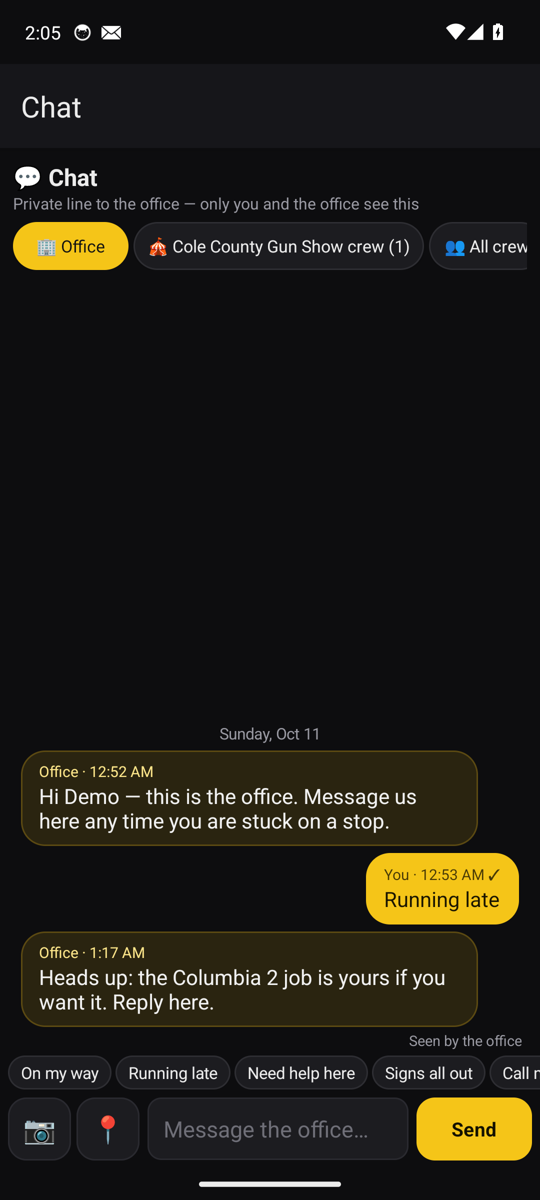
Talk to the office
- Office line — a private chat between you and the office. Someone is pinged the moment you write, and when the office writes back your phone gets a notification even with the app closed.
- Show room — everyone working the same show, plus the office. Trade tips, warn about a closed road.
- All crew — every driver out this week, and the achievements as they happen.
- Quick replies — On my way · Running late · Need help here · Signs all out. "Send my stop" attaches the dot you're at.
- Email also works: [email protected]
Your first job
- Open the Job Board, pick a show near you, tap Request this job. The card shows the pay, the miles and the hours before you commit.
- Collect the signs at the show grounds on the day you choose inside the window. Take a photo of the signs in your vehicle when you do.
- Tap Start job. Turn-by-turn directions take you to each yellow dot in order, with a satellite close-up and a street-level view of exactly where the sign goes. The route and the pictures are saved on the phone when you start, so a dead spot in coverage doesn't stop you.
- Push the sign in, tap Photo and take one picture of it from the road side, tap Confirm. Your money counter ticks up as you go. A sign that broke or went missing on the way: report it from the stats sheet (up to 3 a job) and it comes off the bonus total.
- Have them all out Monday and Tuesday, Wednesday at the latest (the card shows the exact days for each show). After the show, take the pickup job on the same loop for a second payment.
- Get paid. New drivers get a $200 cash advance plus their gas money as soon as the office checks their placing photos, and the rest when the signs come back. After 3 jobs you're paid in full as soon as your signs are out. Set up Stripe or PayPal in the app under Get paid; the app shows every line as it is booked, held or paid.
Quick guide (PDF) · Stuck? Email [email protected] and we'll walk you through it.
🪧
BK Promoters officeA real person answers. After hours it can take a bit.
Thinking about putting out signs for us? Ask anything about the pay, the hours or the app. Tell us your first name so we know who we're talking to.